AI Customer Service Automation

Resolve Routine Requests and Give Your Team Time for Complex Cases

When repetitive requests fill your support queues, eSparkBiz connects AI to your knowledge and business systems. Our AI-native software and product engineering teams build workflows that answer questions, complete permitted tasks, and help staff resolve cases that need judgment.

  • 15+ Years of Experience
  • 400+ Engineers
  • 4.9/5 Clutch Rating
  • ISO 27001 & ISO 9001
  • 1,000+ Projects Delivered
Core Objective

Move eligible requests from intake to resolution, with action permissions that protect customer accounts and context that helps staff handle exceptions.

Business ROI

Measure cost per resolved request against today’s baseline, including implementation and operating costs. Track repeat contacts and customer satisfaction alongside savings.

Tech Stack We Evaluate

  • Zendesk
  • PostgreSQL with pgvector
  • Microsoft Entra ID
  • OpenTelemetry
Service Scope

AI Automation Across the Customer Support Workflow

AI customer service automation uses language models, knowledge retrieval, and workflow rules to interpret requests, assist support agents, and complete permitted tasks. eSparkBiz connects these capabilities to your service systems, with explicit limits on automated actions and routes to human help.
Use this service when support work spans systems or requires controlled actions. Your helpdesk’s built-in AI, existing rules, or a focused chatbot may cover simpler needs.
AI creates value when it solves a real business problem. We help organizations identify where AI can make. from reducing manual work and improving access to business knowledge to making faster decisions

What This Can Include Connected Delivery Workstreams

  • 01. Define

    Request Classification and Routing

    Identify the customer’s intent, capture required details, and direct the request to an appropriate workflow or support queue.

  • 02. Build

    Knowledge and Agent Assistance

    Retrieve relevant guidance from approved sources and prepare suggested replies or case summaries for your team to review.

  • 03. Connect

    Connected Service Actions

    Read account information or execute permitted updates through authenticated integrations, with business rules controlling what can proceed.

  • 04. Validate

    Human Escalation and Evaluation

    Transfer unresolved cases with context and test answer quality, action correctness, and handoff behavior before expanding automation.


Support Challenges

Remove the Friction That Keeps Support Queues Growing

Repetitive work, disconnected records, and incomplete handoffs slow support down. Address these obstacles when deciding which requests AI can handle and where people remain responsible.

  • Queues Filled With Repeat Requests

    Routine questions consume agent capacity while complex cases wait. Identify repeatable request types with dependable answers or clear completion steps, then assess their suitability for automation.

  • Answers Based on Outdated Policies

    Conflicting articles leave customers with different answers to the same question. Assign authoritative sources and content owners, with unresolved conflicts routed for review.

  • Agents Switching Between Systems

    Representatives re-enter details across helpdesk and account systems, adding handling time. Connect the records they need while preserving each customer’s data boundaries.

  • Account Changes Without Clear Authorization

    An account-change request can exceed the customer’s or AI’s authority. Validate identity, permissions, and business rules before execution so a helpful conversation does not trigger an unauthorized change.

  • Customers Repeating Their Story

    Customers lose time when the next agent starts from scratch. Transfer the request history and attempted actions to a named receiving queue so staff can continue the work.

  • Automation Rates Hide Unresolved Issues

    Fewer escalations can mask abandoned conversations or repeat contacts. Check confirmed resolution and customer feedback before expanding workflows that appear successful on automation rate alone.


Our Services

AI Customer Service Automation Services We Offer

Connect ticket triage, customer answers, and task completion around the needs of your support operation. We combine suitable platform features with custom engineering where existing tools leave gaps.

  • Support Automation Assessment

    Focus investment on requests with a practical automation path. We compare volume, handling effort, and policy complexity, then check whether your helpdesk already covers the selected workflow.

    • Request patterns and handling baselines
    • Platform fit and integration gaps
    • Prioritized scope, dependencies, and cost assumptions
  • Ticket Classification and Routing

    Get requests to the right destination with less manual sorting. We configure intent detection and routing logic around your queue structure and escalation policies.

    • Intent categories and labeled examples
    • Queue rules and priority overrides
    • Ambiguous-request fallback and routing tests
  • Support Knowledge Preparation

    Give customers consistent answers from current, approved information. We prepare content for retrieval, preserve audience restrictions, and identify gaps or conflicting policies for the content owner to resolve.

    • Source ownership and version metadata
    • Retrieval indexing and permission filters
    • Search relevance and conflict tests
  • Customer Self-Service Automation

    Help customers complete routine support conversations without unnecessary repetition. We build flows that clarify the request, draw on approved knowledge, and recognize when the customer needs staff assistance.

    • Channel-specific conversation and clarification flows
    • Source-backed answers, identity checks, and uncertainty handling
    • Customer-requested escalation and session controls
  • AI Assistance for Support Agents

    Give agents more time to resolve the case. Relevant context, suggested replies, and case summaries reduce preparation work while staff review the response and retain final decisions.

    • Case summaries with source references
    • Suggested replies for agent review
    • Feedback capture and edit tracking
  • CRM and Helpdesk Integration

    Reduce repeated data entry between service systems. We connect authorized records and case updates through authenticated APIs, with synchronization and recovery behavior suited to the systems involved.

    • API contracts and field mappings
    • Scoped credentials and access checks
    • Event synchronization and failure handling
  • Policy-Controlled Service Actions

    Help eligible requests reach a verifiable result. We check permissions and business rules before changing records, require approval where needed, and confirm that the target system accepted the action.

    • Policy validation outside model prompts
    • Approval gates and execution logs
    • Duplicate prevention, recovery, and completion checks
  • Human Handoff and Escalation

    Keep unresolved cases moving. We transfer the conversation and attempted actions to the responsible team, with fallback behavior for unavailable agents and failed transfers.

    • Escalation triggers and queue ownership
    • Conversation history and action summaries
    • Unavailable-agent and failed-transfer fallback
  • Automation Testing and Monitoring

    Use service quality to decide when automation can expand. We test representative requests before release and monitor answer correctness, completed actions, and handoff performance as the workflow operates.

    • Answer, action, and escalation evaluations
    • Adversarial inputs and access-boundary tests
    • Quality trends and regression alerts
Deliverables and Outcomes

What You Receive and How We Evaluate Progress

Inspect what has been built and measure whether it helps customers and staff. Your scope defines the deliverables, while acceptance checks connect each output to expected behavior.

Expected Deliverables

A Support Workflow Your Team Can Inspect

Your handover package explains how the selected requests are handled, what automation can change, and who owns exceptions. Deliverables reflect the scope agreed for the engagement.

  • Workflow and Responsibility Map

    A documented flow identifies eligible requests, exclusions, approval points, and accountable teams. Your support owner confirms policy decisions before implementation.

  • Integrated Automation Components

    Configured flows and connectors include data mappings, access scopes, and error handling. Tests verify permitted updates and rejection of unauthorized operations.

  • Evaluation Set and Release Evidence

    Representative requests cover answer accuracy, permitted actions, and escalation scenarios. Results document failures against release criteria, including incorrect policy guidance or information shown to the wrong audience.

  • Operating Guide and Monitoring

    Runbooks explain alerts, knowledge updates, recovery, and disabling automated actions. A handover walkthrough confirms that named owners can follow these procedures.

Intended Outcomes

Service Improvements Measured Against Your Baseline

Set the baseline before rollout and compare similar request types over the same review period. Assess customer experience alongside effort and cost so apparent savings do not hide unresolved work.

  • More Requests Resolved With Correct Answers

    Track task completion and repeat contacts, then sample answers against current approved sources. A closed conversation alone does not demonstrate a correct resolution.

  • Less Repetitive Agent Work

    Compare handling and after-contact work for similar cases, including corrections to AI drafts. Separate capacity released from actual cash savings.

  • Better Continuity Through Escalation

    Review whether transferred cases arrive with usable context and reach the responsible queue. Measure repeated information requests and failed handoffs.

  • Clearer Economics for Expansion

    Compare total cost with resolved request volume over a defined period. Include implementation allocation, platform fees, model usage, hosting, maintenance, and human review.


Case Studies

Customer Service Automation in Practice

Review implementation examples through the details that matter: the original support problem,
connected systems, human responsibilities, and evidence used to assess the result.

Case study
  • Industry : eCommerce
  • Solution : AI Development

SmackDab is an AI-enabled Customer Relationship Management (CRM) platform engineered by eSparkbiz to help businesses build stronger customer relationships, optimize sales workflows, and drive sustainable.

  • Dedicated Product Team Engagement Model
  • 40 + Team Member
  • 48+ Months Partnership Duration
  • Live & Scaling Market Stage
Client outcomes

Rated 4.9 across 70 Reviews Verified on Clutch

Our clients value our technical expertise, clear communication, and commitment to quality. Read their feedback on working with eSparkBiz and see how our engineering teams support their business goals.
Brendon Worth

Brendon Worth

Owner, PageMTR

eSparkBiz rebuilt and redesigned the web app for website monitoring platform PageMTR using React and Node.js, including a new dashboard UI and login page. The owner said the work was completed ahead of schedule, with daily updates and a business analyst keeping communication strong. He also appreciated the team’s genuine desire to help their clients.

Tawfik Hussein

Tawfik Hussein

Tech Lead, Food & Beverage Company

eSparkBiz took over mobile app development for a Saudi food and beverage company, fixing errors left from earlier work on the iOS and Android apps and re-architecting the Android app. The tech lead liked the speed, quality and flexibility, along with the suggestions the team offered on their own, and noted they are available even on weekends. The team was also commended for sticking to best practices.

Support Use Cases

Customer Service Workflows You Can Automate.

Start with requests that have clear completion criteria and accessible source data. These illustrative workflows show how automation can reduce effort while preserving necessary review.

  • Delivery Updates

    Order and Service Status

    Give customers the latest confirmed order or service status without a manual lookup. Verify account access and flag missing or contradictory updates for investigation. Keep estimated dates distinct from delivery commitments.

  • Returns & Refunds

    Returns and Refund Requests

    Make return requests easier to complete by checking eligibility, collecting required details, and initiating permitted next steps. Staff review disputed conditions and out-of-policy requests with the supporting information already attached.

  • Invoice Explanations

    Billing Questions and Explanations

    Explain invoice line items using account activity and approved billing guidance. Customers get a clearer answer before contacting the billing team. Disputed charges still require review, and an explanation does not authorize a credit or balance adjustment.

  • Technical Support

    Guided Product Troubleshooting

    Guide users through approved diagnostics matched to their product version and symptoms. Preserve completed checks and error details for the specialist, and stop automated guidance when a step requires elevated access or specialist judgment.

  • Scheduling

    Appointment and Booking Changes

    Help customers find an eligible appointment and request a new time. Recheck availability and confirm the change only after the scheduling system accepts it. Handle conflicts or interrupted transactions through a defined recovery path.

  • Account Security

    Account Access Assistance

    Guide users through the established recovery process and explain access requirements. Account ownership changes and attempts to bypass verification go to an authorized specialist. Customers should not expose passwords or security codes in chat.

  • Incident Response

    Service Disruption Updates

    Give customers consistent information during a known disruption using approved incident updates and affected-service records. Connect matching cases to the incident, while keeping a separate investigation path for symptoms that do not fit the known problem.

  • Complaint Handling

    Complaint Intake and Follow-Up

    Capture the complaint, requested resolution, and supporting details before assigning an owner. Keep customers informed from recorded updates and avoid duplicate cases. Staff review disputed facts, compensation decisions, and missed commitments without inventing a resolution date.


Industry Applications

Industries We Serve with AI Customer Service Automation

eSparkBiz delivers AI support automation for multiple industries, from SaaS and healthcare to fintech and insurance. We tailor every build to your data, compliance requirements, and triage process, and verify results before wider rollout.

AI Customer Service Automation for SaaS Ticket Triage and Onboarding

Setup tickets spike after every release, and senior agents lose hours rebuilding account context. eSparkBiz tags each ticket by plan and product version, drafts version-correct replies for agent review and routes workspace changes through customer admin roles.

What We Automate
  • Plan-Aware Ticket Tagging
  • LLM-Drafted Agent Replies
  • Version-Matched Help Retrieval
  • Workspace Admin Change Checks
  • Escalation Packets with Logs
  • Release-Week Queue Planning
Compliance & Security:
  • Tenants fully isolated
  • Admin roles gate changes
  • Deletion requests always honored
  • Transcript retention capped
Success Metrics

Faster ticket triage, fewer misroutes, and shorter onboarding queues.

Cost & Timeline

Starting Budget: From $10,000, shaped by helpdesk integration depth.
Initial Delivery Phase: 8 to 12 weeks, planned around release cycles.
Drivers: Ticket volume, product versions, helpdesk APIs, admin action scope and documentation freshness.

FAQs
How does eSparkBiz confirm that AI ticket triage routes SaaS tickets correctly?
eSparkBiz samples routed tickets every week and compares each with where a senior agent would have sent it. Your support lead agrees a misroute limit before launch, and any queue that breaches it returns to manual sorting until its intent labels are fixed.
Can AI triage handle tickets written in several languages for a global SaaS product?
Yes. Spotting the language is easy, writing is the real work. We tag language alongside intent, send tickets to agents who speak it where you have them, and attach a machine translation beside the original text where you do not, so no detail gets lost.

Delivery Process

From Your First Support Workflow to Everyday Operation

Begin with a focused workflow and expand from observed results. Your service owners approve policies and release criteria; eSparkBiz handles the engineering responsibilities defined in the engagement.

Step 01 · Assess

Prioritize and Estimate the First Workflow

Implementation cost depends on workflow complexity, channel coverage, and integration depth. We estimate assessment, pilot, and rollout separately, identifying recurring licenses, hosting, model usage, maintenance, and review effort.

Identify a Feasible First Workflow
WHAT’S INCLUDED
  • Review request samples and handling baselines
  • Compare native features with custom requirements
  • Document estimate ranges, assumptions, and exclusions
  • Obtain the service owner's scope decision
Outcome : Prioritized first workflow with estimate ranges
Technology Ecosystem

Technology Choices for Connected Customer Service

Start with the systems your team already uses. We assess integration fit, data restrictions, operating effort, and cost before recommending additions. These technologies are candidates, not a preset stack.

Retain the Service Workspace Where Practical

Assess native automation and handoff features before adding components. Check channel support, licensing, and API access against the exact workflows your team needs.

  • Zendesk
  • Dynamics 365 Customer Service

Proposal Evaluation

How to Compare Customer Service Automation Proposals

Compare the same workflows, responsibilities, and operating assumptions across proposals. Check whether simpler platform configuration can meet the need before accepting the cost and maintenance of custom engineering.

What to Check in Any Proposal eSparkBiz Proposed Approach
Platform Fit and Automation Scope
Can native features meet your needs? Distinguish answers, agent assistance, and system actions. Ask which gaps justify custom development.
Use existing capabilities where they meet acceptance criteria. Add custom workflows for documented gaps, with permitted actions and human decisions defined before implementation.
Integration and Exception Ownership
Who owns connectors, source access, failed transactions, and unsuccessful handoffs? Separate provider responsibilities from those your team retains.
Map responsibilities with your system owners. Include failure recovery and action logging. Custom connectors offer flexibility but need ongoing maintenance.
Evidence for Release
Do tests confirm correct answers, completed tasks, and access restrictions? Check repeat contacts and failed handoffs, and identify who accepts remaining limitations.
Agree representative tests and pilot measures with support and technical owners. Record failures, require a release decision, and pause affected automation when thresholds are missed.
Implementation and Operating Cost
Does the estimate separate the build from recurring licenses, model usage, hosting, human review, and maintenance? Check volume assumptions and exclusions.
Compare configuration and custom work over the same operating period. Model workload scenarios and retain a simpler approach when added engineering effort is not justified by expected service value.

Agreed Before Kickoff

  • Workflow scope
  • Native capabilities
  • Exception ownership
  • Operating costs
Why eSparkBiz

Bring AI and Service Software Into One Engineering Engagement

Customer service automation needs the surrounding software to work as well as the model. eSparkBiz brings application, AI, cloud, and UX capabilities together around your support operation.

  • 15+ Years in Business
  • 20+ Industries Served
  • 4.9 Clutch 70 Reviews
  • 1,000+ Projects Delivered
  • 400+ Engineers
  • 1,000+ projects across 20+ industries, supported by expertise across 45+ technologies.
  • Collaboration across 10+ time zones combines agreed working hours with named contacts, progress reviews, and escalation paths.
  • Clear IP ownership and confidentiality terms address custom work, third-party licenses, and NDA obligations.
  • Discovery-led planning aligns your goals, scope, and technical dependencies before delivery begins.
  • 95% client retention, earned by staying accountable after go-live.
  • Triage models classify tickets by intent, urgency, and product area.
  • Sentiment analysis flags frustrated customers for priority human follow-up.
  • Listed among RevenueBase’s Leading India’s AI Workflow Automation Services.
  • Answers stay grounded in your knowledge base and support policies.
  • Agent-assist drafts replies and summarizes threads for human support teams.
  • Featured in Clutch’s Top India AI Code Generation Companies Listing.
  • Email automation clears repetitive inbound queries without manual agent effort.
  • Cross-functional engineering teams assess the right approach, including where AI adds value.
  • Flexible engagements with planned continuity define responsibilities, replacement arrangements, and knowledge transfer.
  • Transparent scope and costs require approval of budget and schedule changes before additional work begins.
  • Phased delivery with quality and security reviews provides checkpoints and clear release accountability.
  • Defined access, handover, and support options help your team maintain continuity during and after the engagement.
  • Ongoing technical support options help you maintain your systems and respond to changing business needs.
  • Right side CTA text: Bring one workflow you want to improve and the systems it touches. We can discuss the engineering coverage, operating constraints, and responsibilities the work requires.

    Review the Fit With eSparkBiz
    Governance & security
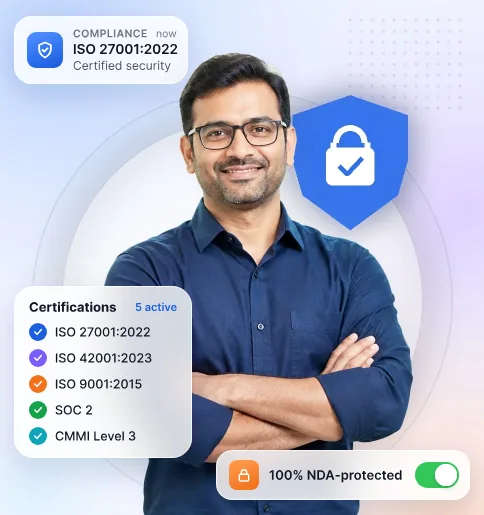
    • ISO 27001:2022
    • ISO 9001:2015
    • SOC 2
    • CMMI Level 3
    • 100% NDA-protected
    Platform Capability
    • AWS Certified Solutions Practice
    • Multi-cloud: AWS, Azure, GCP
    • AI, Cloud & Blockchain
    Company & Credentials

    CIN U72900GJ2013PTC073284 · Certification & audit documentation available on request under NDA.

    Engagement Models

    Choose How We Work With Your Support Team

    Choose around who directs the work and how certain the scope is. Each model needs a service owner for policy decisions, access coordination, and acceptance.

    01 / 03

    Staff Augmentation

    Add specialists when your team already owns the support roadmap and technical direction. You manage priorities and day-to-day work; eSparkBiz contributes the agreed skills within your delivery and review process.
    Discuss the Skills You Need
    • Your team owns backlog and priorities
    • You direct day-to-day engineering work
    • Engineers follow your review process
    • You coordinate platform and policy owners
    • Your reviewers accept completed work
    • Capacity changes follow agreed commercial terms

    FAQs

    Frequently Asked Questions

    Straight answers on AI customer service automation tools, platforms, pricing models, demos, trials and case studies, so support leaders can compare eSparkBiz with other providers before booking a call.

    Which AI customer service automation tools suit small businesses best?

    For simple needs, the AI features inside your current help desk are often enough and cost the least. When automation must reach order, booking or account systems those tools cannot touch, eSparkBiz builds the connecting layer from $10,000 with hourly pricing under the $25 mark. Start with the single request type that consumes most staff time.

    How do leading AI customer service platforms compare?

    Packaged platforms win on speed and price per seat, while custom automation wins when answers depend on your own systems and rules. eSparkBiz scores both on one shared batch of your real tickets, covering accuracy, integration effort, handoff quality and three-year cost, so the decision rests on evidence from your queue rather than polished demos.

    Which companies offer AI customer service automation that integrates easily with existing systems?

    Integration goes smoothest with partners who build connectors for a living, not just configure chat widgets. eSparkBiz, which holds Advanced Tier status with AWS, connects automation to CRMs, help desks, ERPs and custom databases through authenticated APIs. Ask every vendor which of your systems they have integrated before and who maintains each connector afterward.

    Which AI customer service automation solutions cope best with high call volumes?

    High-volume teams need voice automation that verifies callers, resolves routine requests and transfers the rest with notes, not merely a smarter phone menu. eSparkBiz draws on 400+ in-house engineers to build these flows on your telephony platform, then load-tests them against your busiest recorded hour before any real caller reaches them.

    Which AI chatbot options give small businesses the most value?

    A chatbot that answers from your own website and policies, passes the chat to staff by email or live chat and costs little to run usually beats a feature-heavy suite. eSparkBiz can build a focused version starting at $10,000, after a free first consultation. Ask every provider about monthly running costs before signing anything.

    Where can we see a demo of AI customer service software working on our own data?

    Vendor demos run on tidy sample data, so ask to see automation answering your own tickets instead. eSparkBiz builds a small working pilot of one workflow on a copy of your knowledge base and walks your team through it. Judge it on wrong answers and handoffs, not the polished happy path.

    Where do businesses find AI customer service automation software with built-in chatbot features?

    Most help desk and CRM vendors now bundle chatbots, and AWS Marketplace lists add-ons, including eSparkBiz services. Choose a bundled chatbot when it reads your data well enough. Choose a custom build when the chatbot must complete tasks inside systems the bundle cannot reach, such as order, billing or booking platforms.

    Which providers offer generative AI for customer support?

    Model vendors supply language models, help desk platforms package them, and engineering firms build them into your own workflows. eSparkBiz belongs to that last group, building generative AI that drafts replies, summarizes cases and answers only from approved sources. Find out how every provider stops the model from inventing policy details customers might rely on.

    How is AI customer service automation priced at eSparkBiz?

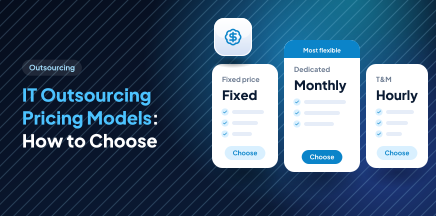
    eSparkBiz works on three models: fixed pricing once a workflow’s boundaries are agreed, hourly rates below $25 when scope keeps shifting, and a monthly-billed dedicated squad for an ongoing backlog. The minimum engagement is $10,000. Model usage, hosting and help desk licenses run separately, so ask to see them as distinct line items.

    Which AI customer service automation services offer a free trial?

    Many software platforms offer free tiers, while build partners rarely do. At eSparkBiz, the opening consultation costs nothing, and we can arrange a risk-free 15-day trial when you need proof, so your team judges our engineers on real work first. Use any trial on your hardest common request, not the easiest one.

    How do AI customer service platforms usually charge?

    Packaged platforms usually charge per agent seat, per conversation or per resolved ticket, and resolution-based fees climb quickly as volume grows. Automation built by eSparkBiz swaps those fees for a one-time build plus your own cloud and model usage. Compare both options over three years at your expected volume before choosing either one.

    Which AI customer service automation platform fits our business size?

    Small teams should favor what their help desk already offers, mid-size firms often need one or two custom integrations, and enterprises usually need workflows spanning several systems. eSparkBiz scopes the smallest option that meets your acceptance criteria, and we say plainly when a packaged tool will do the job without custom engineering.

    Where can we find case studies of successful AI customer service implementations?

    Ask vendors for cases with stated metrics and a client you can actually call. eSparkBiz built a real estate virtual assistant powered by AI that answered more than 10,000 property inquiries in month one with 95% accuracy, while replies to buyers got 80% faster. More examples, with their measured results, sit in our portfolio.

    Do we own the prompts and code that eSparkBiz writes for our support automation?

    Yes. Contracts with eSparkBiz transfer code, prompts, test sets and documentation to your company, with all work kept in repositories your team can see. An NDA gets countersigned before any file changes hands. Third-party model and platform licenses follow their providers’ own terms, so the proposal lists each one separately.

    How soon can eSparkBiz launch AI customer service automation for us?

    A first workflow usually goes live in six to twelve weeks with eSparkBiz, depending on API access and how clean your help content is. A short pilot with a limited customer group comes before wider rollout. Most delays trace back to waiting on system access or policy sign-off, rather than to engineering work.


    Resources

    Insights from our engineering leaders.

    Our team shares practical insights on the technologies and engineering decisions shaping enterprise software today, grounded in real client work.